Explainers
MIDI vs MusicXML vs PDF: Which Score File You Need
MIDI stores what was played, MusicXML how it's written, PDF how the page looks. Which file to use for printing, editing, a DAW, a band or leaving Finale.

By Antoine Duno
Updated September 25, 202613 min read
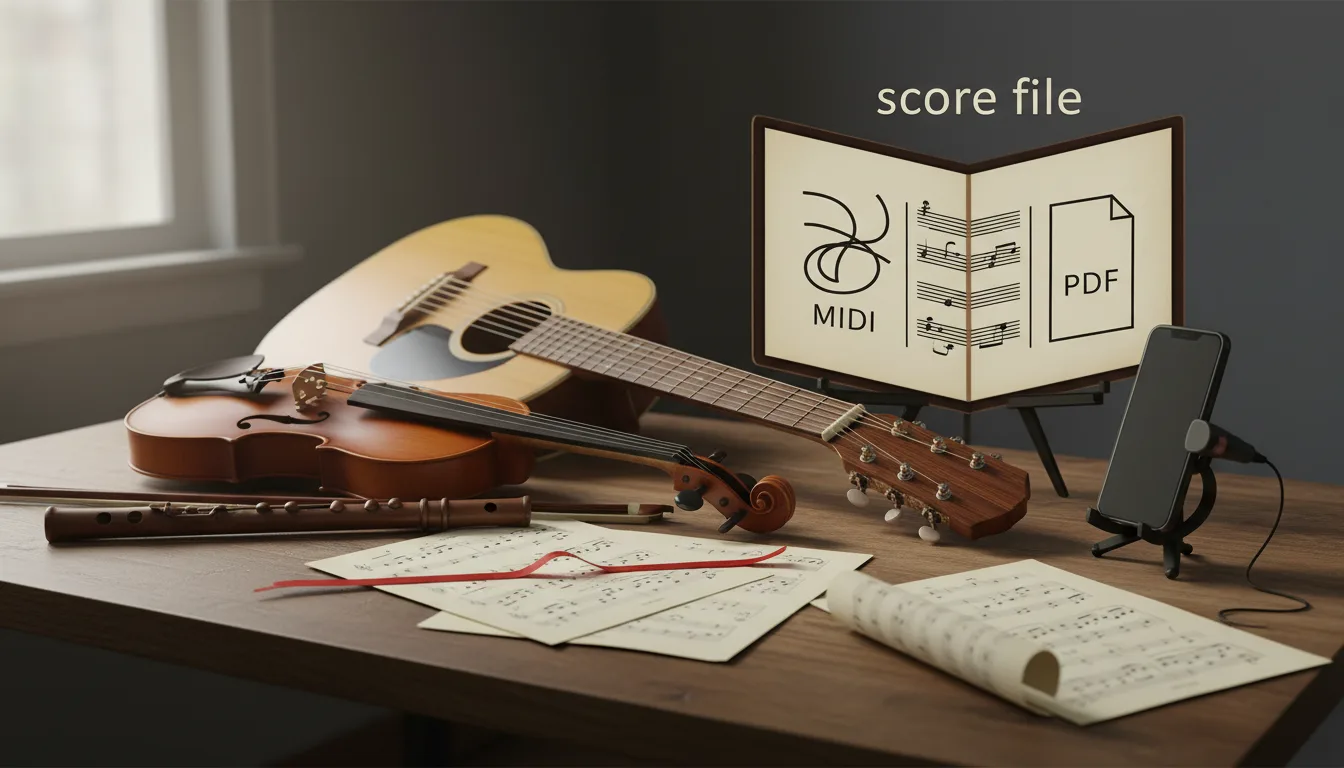
A recording turned into sheet music, a score shared by a teacher, a chart from a worship team: they tend to arrive as three files with three different extensions. They are not three copies of the same thing. Each stores a different part of the music, and picking the wrong one is how people end up retyping a score they already had.
The three formats at a glance
| MIDI | MusicXML | ||
|---|---|---|---|
| What it stores | Time-stamped performance data: notes, timing, velocity, instrument and controller settings | Notation: pitch spelling, rhythm, clefs, key and time signatures, text, layout hints, plus playback data | The appearance of each page |
| Files | Standard MIDI File, Type 0 or Type 1 | .musicxml (uncompressed), .mxl (compressed) | |
| Specification | The MIDI Association | W3C Music Notation Community Group | General document format, not music-specific |
| Best for | DAWs, playback, practice apps, digital pianos | Editing and exchanging scores between notation programs | Printing, reading on a tablet, sending to performers |
| Edit the notes? | Yes, as a performance, in a sequencer or piano roll | Yes, as notation, in a score editor | No, only annotate |
| What it loses | All visual formatting; note spelling | Some program-specific layout, which usually needs cleanup | Everything except the look of the page |
The rest of this guide explains each column and then answers the practical question: which one do you need for the job in front of you? Every format guide on this site, from single-program walkthroughs to file-extension questions, is collected on the formats and software hub.
MIDI: what was played
The MIDI Association describes the purpose of MIDI files as "a way of interchanging time-stamped MIDI data between different programs". A Standard MIDI File contains "one or more MIDI streams, with time information for each event", and "Song, sequence, and track structures, tempo and time signature information, are all supported."
On its "About MIDI" pages it adds that the files "contain all the MIDI instructions for notes, volumes, sounds, and even effects", but that "a MIDI file does not need to capture and store actual sounds". That is why "MIDI files are very much smaller than digital audio files". The sound depends on whatever instrument plays the file back.
There are two kinds you will meet. In the MIDI Association's words, "In a Type 1 file individual parts are saved on different tracks within the sequence. In a Type 0 file everything is merged into a single track." A Type 2 format was specified originally "but never really caught on".
What MIDI doesn't know
MIDI is excellent at recording what happened on a keyboard. It knows nothing about how a score should look, and several things a pianist reads without thinking simply aren't there:
- Note spelling. The W3C MusicXML tutorial puts it plainly: "In MIDI, a pitch is represented by a single number." The same key gives E-flat and D-sharp, so MIDI can't tell them apart. Notation software has to guess the spelling from context.
- Visual formatting. MuseScore's handbook says MIDI encodes "all the notes and instruments in a score, but none of the visual formatting", so a MIDI file "will look very different when opened in any notation program".
- Which hand plays what. A piano performance recorded as MIDI doesn't say which notes belong on the treble staff and which on the bass. MuseScore 3's MIDI import panel had a "Split staff" option, "suited mainly for piano tracks - to assign notes to the left or right hand of the performer". The MuseScore 4 handbook page says that panel is "not currently implemented", so in Studio you should expect to split hands yourself.
- Rhythm as written. A human never plays exactly on the grid. MuseScore 3's import panel quantised notes to a grid, with a maximum resolution you chose from quarter notes down to 128ths. Studio's handbook lists only a shortest-note-value setting for imported MIDI under Preferences, then Import.
None of that is a flaw. MIDI was built for instruments and sequencers, not for engravers. But it explains why a MIDI file dropped into notation software often reads badly: ties across bar lines, rests in odd places, and accidentals spelled against the key. Our explainer on what a MIDI file is covers the format in more depth.
When MIDI is the right file
- You want the notes in a DAW such as GarageBand, Logic, Ableton or FL Studio.
- You want to hear the piece played back, slow it down, or practise hands separately in an app.
- You are building a backing track or layering sounds on the part.
- You play a digital piano and want to play the file through it.
MusicXML: how it's written
The W3C Music Notation Community Group's specification opens with a one-line definition: "MusicXML is a standard open format for exchanging digital sheet music. It is designed for sharing sheet music files between applications, and for archiving sheet music files for use in the future." The current final version is MusicXML 4.0, published as a Final Community Group Report on 1 June 2021, which states that the format "is supported by over 250 applications". The group's own specification site also carries a MusicXML 4.1 draft, dated 3 April 2025, so a newer version is in development; it is a draft, not a release, and the 4.0 report is still the one the site labels the current final report.
One precise point, since it's often misreported: the report says "It is not a W3C Standard nor is it on the W3C Standards Track." It is an open specification published under the W3C's community group process, and it is the de facto exchange format for notation.
What MusicXML stores
The W3C tutorial devotes a section to the MIDI-compatible part of MusicXML, which shows that a file can describe playback as well as notation.
That dual nature is the point. Take the pitch example the tutorial itself uses. Where MIDI stores a single number, "MusicXML divides pitch into three parts": the step (A to G), an optional alteration ("-1 for flat, 1 for sharp") and the octave. An E-flat stays an E-flat. The tutorial also notes that time signatures "are represented more directly in MusicXML than in MIDI 1.0", with a separate numerator and denominator.
So a MusicXML file keeps the decisions a copyist makes: spelling, clefs, key, meter, ties, text. Those are precisely the decisions MIDI throws away.
.musicxml or .mxl?
Same data, different packaging. The W3C tutorial explains that uncompressed files use .musicxml and compressed files use .mxl, a zip-based format. Compression exists because "Regular, plain text MusicXML files can be very large - much larger than the original music notation application files, or corresponding MIDI files."
MuseScore's handbook says that when exporting MusicXML, "you can choose from a compressed (the default option) or uncompressed format". Either will open in current notation software. If an older program or a web tool refuses one, try the other.
What MusicXML doesn't carry perfectly
MusicXML is an exchange format, and exchange is never lossless in practice. MuseScore's handbook is candid about it: "MusicXML faithfully reproduces the notes and instrumentation, but, nevertheless, it is usually necessary to do some clean-up work to make the transferred score look exactly the same as the original." Its import options cover page layout, system and page breaks and text styles, precisely because those differ between programs.
Expect the notes to arrive intact and the layout to need attention. What MusicXML is goes further into the format, and opening MusicXML in MuseScore walks through the import and cleanup step by step.
When MusicXML is the right file
- You need to fix wrong notes, rhythms or spelling in a transcription.
- You want to transpose a score, add fingering, dynamics or lyrics.
- You're moving scores between programs: MuseScore, Sibelius, Dorico, or out of Finale.
- You want an editable archive of a score, not just a picture of it.
PDF: how the page looks
A PDF is a general-purpose document format, not a music format. For sheet music, that means it stores what the engraved page looks like: staff lines, noteheads, text, spacing. It doesn't store which of those shapes is a B-flat quarter note.
MuseScore's handbook describes PDF as "a universal format for text, pictures, music and so on", and says to "Use this format when you want to generate music scores for other musicians to read." That is exactly its job, and it does it better than anything else. It looks the same on every device, it prints predictably, and anyone can open it.
What you can't do with a PDF
- Edit the music. You can annotate a PDF, but moving a note won't respace the bar or update playback.
- Transpose it. A change of key means re-engraving.
- Play it back. There is no performance data inside.
Getting notes back out of a PDF takes optical music recognition, the sheet-music equivalent of text OCR. Tools for it exist; Klangio, for example, lists Scan2Notes to "Scan printed Sheet Music and PDFs into a digital format". Treat the result like any automatic transcription, though, and proofread it bar by bar. If you have the MusicXML, you never need that step.
When PDF is the right file
- You want to print the score or read it on a tablet at the piano.
- You're sending the score to performers who won't edit it.
- You need a submission copy, for an exam, a competition or an application.
- You want a fixed record of how the score looked on a given date.
Converting between them: which direction is safe
The three formats aren't equal when you convert. Going from notation to a page or to sound is easy and predictable. Going the other way means software has to guess.
| From → to | How | What to expect |
|---|---|---|
| MusicXML → PDF | Open in a notation program, export PDF | Safe. You control the layout before exporting |
| MusicXML → MIDI | Open in a notation program, export MIDI | Safe for the notes. MuseScore's export offers "Expand repeats", so repeated sections play back in full |
| MIDI → MusicXML | Open the MIDI in a notation program, save as MusicXML | Guesswork. Rhythms are quantised, hands split and notes respelled by whatever the program does on opening, so proofread everything |
| PDF → MusicXML | Music-scanning (OMR) software | Guesswork. Check every bar against the printed page |
| Audio → any of the three | Transcription, by ear or by software | The biggest guess of all, which is why the recording and the MusicXML both matter |
This is why the MusicXML is the file to keep. From it you can always regenerate a clean PDF and a MIDI file. From a PDF or a MIDI file, you can only get back to MusicXML by guessing.
It also explains a common frustration with free audio-to-MIDI tools. They stop at the MIDI step, and the hard, guess-heavy MIDI to MusicXML conversion is left to you. If you've been there, the difference between a MIDI export and a score is covered in why Basic Pitch gives you MIDI, not sheet music.
Which file for which job
| You want to… | Use | Why |
|---|---|---|
| Print it and play | It looks identical everywhere and prints predictably | |
| Fix wrong notes or rhythms | MusicXML | Keeps spelling, clefs and meter, so you edit notation, not raw timing |
| Transpose for a singer | MusicXML | Notation software transposes and respells in one step |
| Put the part in GarageBand, Logic or Ableton | MIDI | DAWs are built around MIDI tracks |
| Practise along, slowed down | MIDI | Any MIDI player or keyboard app can play it at any tempo |
| Send to a band or worship team who just read | Nobody needs software to open it | |
| Send to an arranger who will edit | MusicXML | They can open it in whichever notation program they use |
| Submit a score for an exam or competition | PDF, keeping the MusicXML | Submit the page, keep the editable file for corrections |
| Move a library out of Finale | MusicXML | The route MakeMusic itself recommends |
| Archive a score you might revise | MusicXML and PDF | One to edit later, one to show what it looked like |
The one rule that covers most cases: keep the MusicXML, share the PDF, use the MIDI for sound.
Two cases worth their own warning
Leaving Finale
MakeMusic announced on 26 August 2024 that "There will be no further updates to Finale, or any of its associated tools", and that it is "no longer possible to purchase or upgrade Finale". Its letter recommends exporting your files via "MusicXML 4.0, the most robust version of MusicXML available", from Finale v27, and it names Dorico as the recommended replacement.
Finale's native files are only useful in Finale, so export your library to MusicXML while you can still open it, and keep a PDF of each score as a visual reference to check the import against. Our guide to moving Finale scores via MusicXML covers the export settings and what to check in Dorico, Sibelius or MuseScore afterwards.
Charts for a worship team
A worship team usually needs two files per song: a PDF for the musicians who read, and a MusicXML file for the person who arranges or changes keys. Planning Center Services lets you upload files to a song and attach them "to the arrangement (which makes them available for all keys) or to a specific key", according to its help centre. That makes it straightforward to keep a PDF chart per key alongside the arrangement. Adding charts to Planning Center walks through that setup.
The three files you get from a transcription
When a recording is converted to sheet music, all three formats have a job, and it helps to know which is which before you open anything.
Piano to Sheet Music delivers all three from one recording. The pricing section lists $4.99 for one piece, and $9.99 a month for unlimited recordings. Our MIDI puts the right and left hands on separate tracks:
- PDF: "A grand staff with the key and time signature, ready to print or to read on a tablet at the piano."
- MIDI: "Timing and velocity for each note", ready for GarageBand, Logic, Ableton or FL Studio.
- MusicXML: to "Open the score in MuseScore, Sibelius or Dorico to fix a note or add fingerings."
The order to use them in is almost always the same. Open the MusicXML first and proofread it against the recording. Any automatic transcription can get spelling, hand splitting or pedalled rhythms wrong, and this is the file where fixing them is quick. Then export your own PDF from the corrected score, and use the MIDI for playback or production. Our guide to converting a piano recording to sheet music covers the whole route, including the proofreading. To try it on your own playing, you can try it.
Mistakes that cost an evening
- Opening the MIDI in notation software when a MusicXML exists. You'll spend the evening re-quantising rhythms and respelling accidentals that the MusicXML already had right.
- Editing the PDF. Annotation tools can cover a wrong note, but the next transposition or reprint brings it back. Fix it in the MusicXML and export a new PDF.
- Sending MusicXML to someone who only wants to play. Most performers don't have notation software open on a music stand. Send the PDF.
- Keeping only the PDF of your own composition. When the exam board, publisher or bandleader asks for a change, you'll be re-engraving from scratch.
- Expecting MusicXML to carry the layout exactly. MuseScore's handbook says cleanup is "usually necessary". Budget for respacing systems and resetting text styles after any import.
- Throwing away the recording. None of the three files replaces the audio. It's what you check a transcription against, and what you re-transcribe from if a better tool comes along.
Frequently asked questions
What is the difference between MIDI and MusicXML?
MIDI records a performance: which notes sounded, when, and how hard. MusicXML records notation: note spelling, clefs, key and time signatures, and layout. The W3C MusicXML tutorial notes that MIDI represents a pitch as a single number, while MusicXML stores step, alteration and octave, so E-flat and D-sharp stay distinct.
Should I open MIDI or MusicXML in MuseScore?
Open MusicXML when you want the score. It carries the notation choices, so there is far less to fix. MuseScore Studio can also open MIDI files, but the notation then has to be guessed, and its handbook says the detailed MIDI import panel of MuseScore 3 is not implemented in version 4, so expect to fix rhythms and hands by hand.
Can I edit a PDF of sheet music?
Not as music. A PDF stores the look of the page, so you can annotate or print it, but you can't change a note and have the bar respace itself. To edit, you need the MusicXML or the notation program's own file, or you have to convert the PDF with music-scanning software and check the result.
What is the difference between .musicxml and .mxl?
They hold the same MusicXML data. The W3C tutorial says .musicxml is the uncompressed text file and .mxl is a zip-compressed version, introduced because plain MusicXML files can be much larger than the original notation or MIDI files. MuseScore exports compressed MusicXML by default and opens both.
Which file should I send to my band or worship team?
Send the PDF to anyone who only needs to read and play. Send MusicXML to someone who will edit the chart, transpose it or add parts in their own notation software. MIDI is for someone building a backing track or practising along in a DAW or keyboard app.
How do I move my scores out of Finale?
Export them as MusicXML. MakeMusic ended Finale development in August 2024, and its letter to users recommends exporting with MusicXML 4.0 from Finale v27. MusicXML then opens in Dorico, Sibelius or MuseScore, though some layout cleanup is normal after any import.
Sources
- MIDI Association: Standard MIDI Files and About MIDI, Part 4: MIDI Files
- W3C Music Notation Community Group: MusicXML 4.0, Final Community Group Report
- MusicXML 4.0 tutorial: the MIDI-compatible part of MusicXML
- MusicXML 4.0 tutorial: compressed .mxl files
- MuseScore Studio handbook: file export
- MuseScore Studio handbook: working with MusicXML files
- MuseScore Studio handbook: opening and saving scores
- MuseScore handbook (version 3): MIDI import and (version 4): MIDI import (panel "not currently implemented")
- MuseScore Studio handbook: Preferences (shortest note value for imported MIDI)
- MusicXML 4.1 Draft, W3C Community Group specification (draft dated 3 April 2025; current final report 1 June 2021)
- MakeMusic: The End of Finale, letter from the president
- Planning Center help: create, upload, or link to files
- Klangio: Piano2Notes and other apps
Sources checked 16 September 2026; the MuseScore, W3C MusicXML and MIDI Association pages were re-read on 19 September 2026.
Keep reading

What Is a MIDI File? Turn One Into Sheet Music in Minutes
A MIDI file stores notes, not sound — so sheet music is one conversion away. What's inside a .mid file, and how to turn one into a printable score.
8 min read
How to Convert a Piano Recording to Sheet Music
How to turn a piano recording into sheet music: prepare the audio, convert it, check the score and fix errors. A practical piano to sheet music guide.
9 min read
What Is MusicXML? The Format for Editable Scores
MusicXML explained from the spec: what a .musicxml or .mxl file stores, how it differs from MIDI and PDF, version 4.0, and which programs open it.
7 min read
How Accurate Is AI Piano Transcription? The Real Test
What piano transcription accuracy numbers measure, what a published model scored on the MAESTRO benchmark, and a test you can run on your own recording.
9 min read
Copyright Deposit Copy: Is a Lead Sheet Enough?
The US Copyright Office names lead sheets as a deposit for unpublished songs, but only if complete. What Circular 50 and the Compendium say, quoted.
8 min read
How We Measure Piano Transcription Accuracy
We measured where automatic piano transcription breaks: the protocol, the onset F1 numbers on named test pieces, and six uncorrected examples.
10 min read